Weave Cane: A Creative Color Font for Modern Designs
Finding a typeface that feels genuinely fresh can transform a project from standard to standout. Weave Cane is one of those creative fonts that immediately captures attention. It’s not just another set of letters; it’s a color font, meaning the texture, pattern, and color are built directly into the glyphs. This premium font delivers a woven, tactile quality right out of the box, making it an incredible asset for anyone looking to add a handmade, artistic flair to their work without the hassle of manual editing.
The Unique Appeal of a Woven Texture
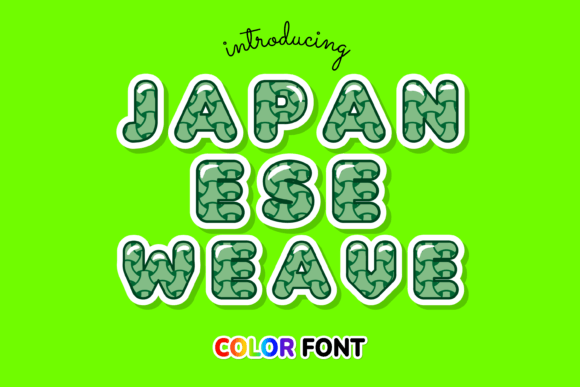
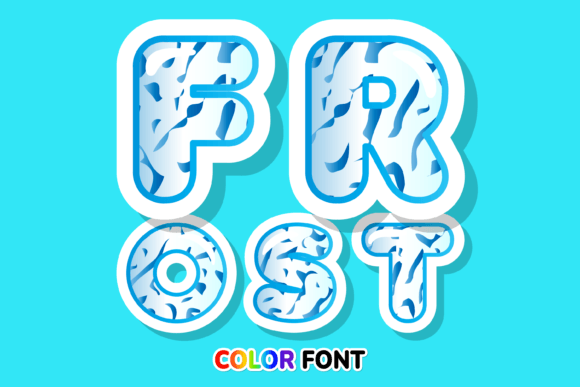
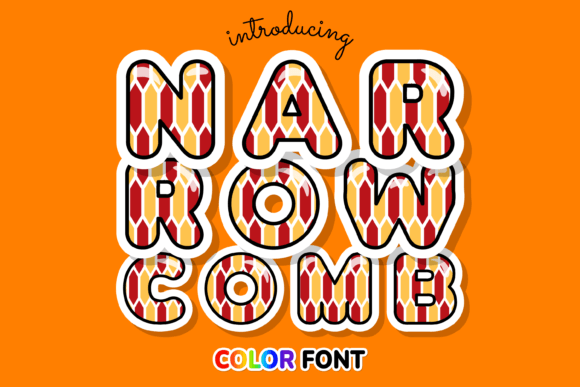
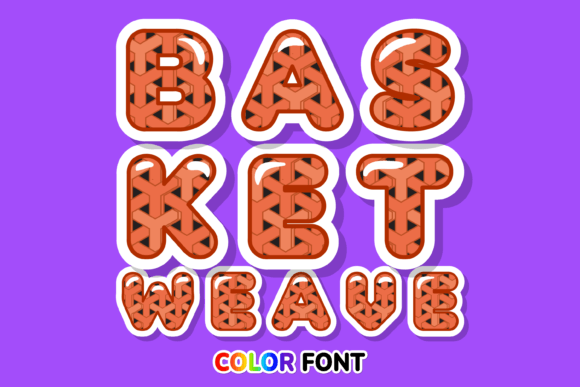
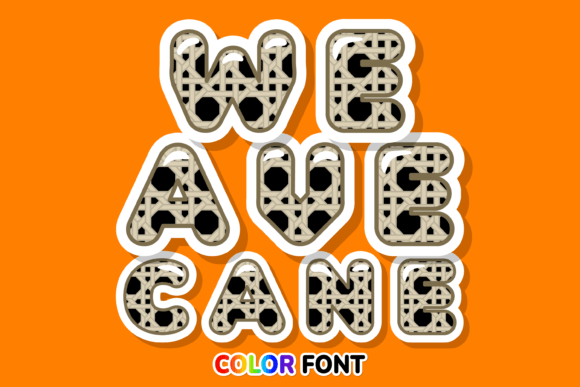
Visually, Weave Cane mimics the intricate look of basket weaving or rattan fiber art. It has a distinct, organic personality that feels both rustic and contemporary. Unlike a standard serif font or a clean sans serif font, this display font brings depth and dimension to headlines. The "color" aspect means you don’t just get a flat shape; you get a rich visual texture that interacts with the background, creating a sense of realism that is hard to achieve with standard vector text.
This style of modern typography works exceptionally well when you want to evoke warmth, craftsmanship, or a connection to nature. It’s a fantastic alternative to standard script fonts or handwritten fonts when you need a casual look that doesn't sacrifice legibility. The woven pattern gives the letters a structural integrity that feels sturdy and reliable, making it a great choice for brands that want to project authenticity.
Where This Creative Font Shines
Because Weave Cane is a color font, it requires specific software to function correctly. It is compatible with programs supporting OpenType-SVG technology, such as Adobe Photoshop, Illustrator, Silhouette, and Inkscape. This makes it a powerful tool for digital-first projects. If you are working on social media graphics, Instagram posts, or digital invitations, this typeface adds an instant wow factor that static fonts can't match.
It is equally effective in editorial design and packaging design. Imagine a magazine cover or a product label for a boutique candle brand using this font. The texture translates beautifully to print, provided the resolution is high enough. For logo design, Weave Cane works best for brands that focus on artisanal goods, bohemian fashion, home decor, or organic products. It tells a story of craftsmanship before the customer even reads the copy.
Practical Application in Branding and Marketing
When building a brand identity, consistency is key, but so is distinctiveness. Using Weave Cane for your primary display headings can set a specific mood for your entire campaign. It influences audience engagement by breaking the monotony of digital noise. People are used to seeing Helvetica and Arial; seeing a woven texture on a headline makes them pause and look closer.
However, effective design is about balance. Because Weave Cane is a heavy, textured display font, it shouldn't be used for long paragraphs of body text. Readability drops significantly with textured fonts at small sizes. Instead, use it for impact. Pair it with a clean, geometric sans serif font for your body copy. This contrast creates a strong visual hierarchy, guiding the reader’s eye from the artistic headline to the informative text below.
Smart Integration: Pairing and Licensing
Successful font pairing is about contrast and complement. Since Weave Cane is organic and textured, try pairing it with a font that is geometric and smooth. A clean sans-serif like Montserrat or Lato provides a neutral backdrop that lets the woven texture of the headline pop. Avoid pairing it with other script fonts or overly decorative typefaces, as the design will quickly become chaotic and difficult to read.
Before purchasing, it is vital to understand the technical requirements. Weave Cane is an OpenType-SVG file. Standard OTF or TTF versions are not included because the color data cannot be stored in those legacy formats. Therefore, if you strictly use Cricut Design Space, this specific product is not compatible due to software limitations regarding color fonts. However, for users of Photoshop or Illustrator, the installation is straightforward, and the result is a high-fidelity design asset.
Evaluating the Fit for Your Project
When deciding if Weave Cane is the right choice, consider your medium. If you are creating a static web design header, ensure the image quality is optimized so the texture remains crisp. For print projects like flyers or posters, this premium font offers a tactile quality that mimics embossing or textured paper, adding perceived value to the physical item.
From a commercial licensing perspective, most creators allow for small business use, but always double-check the specific license included with your download. Whether you are a blogger creating a new header image, a marketer designing a seasonal campaign, or a crafter making custom goods, Weave Cane offers a unique blend of artistic flair and practical application. It moves your designs away from the generic and toward a more curated, professional aesthetic.
Ultimately, Weave Cane is more than just a font; it is a stylistic statement. It bridges the gap between digital precision and handcrafted charm, offering a versatile tool for creative professionals who want their typography to have a voice of its own. By using it strategically for headers, logos, and accent text, you can leverage its unique texture to create memorable, engaging designs that resonate with your audience.